-
WHAT IS GEOSENSE-PI?
GeoSense-PI™ technology analyses and responds to ground signals with great clarity and precision, so you can detect in difficult environments once thought undetectable. It rapidly suppresses unwanted signals via three overlapping feedback systems for superfast detection of even the tiniest gold pieces
-
WHAT IS THE PERFORMANCE OF THE GPX 6000? HOW DOES IT COMPARE TO OTHER MINELAB GOLD DETECTORS?
The GPX 6000 is our best performer on the more plentiful smaller nuggets, even in highly mineralised or variable ground. It retains excellent depth, just behind the GPZ 7000 on larger, deeper nuggets.
-
IS THE GPX 6000 COMPATIBLE WITH EXISTING GPX SERIES COILS?
The GPX 6000 coils are a new range of lightweight, high-performance coils that are not compatible with earlier GPX series detectors.
-
CAN THE GPX 6000 DISCRIMINATE WITH A DOUBLE-D COIL?
The 14″ Double-D coil in the GPX 6000 can only be used for EMI cancellation or cancellation of conductive soil signals. It is not capable of ferrous discrimination.
-
WHAT COILS ARE AVAILABLE FOR THE GPX 6000? IS THE GPX 6000 COMPATIBLE WITH THIRD PARTY COILS?
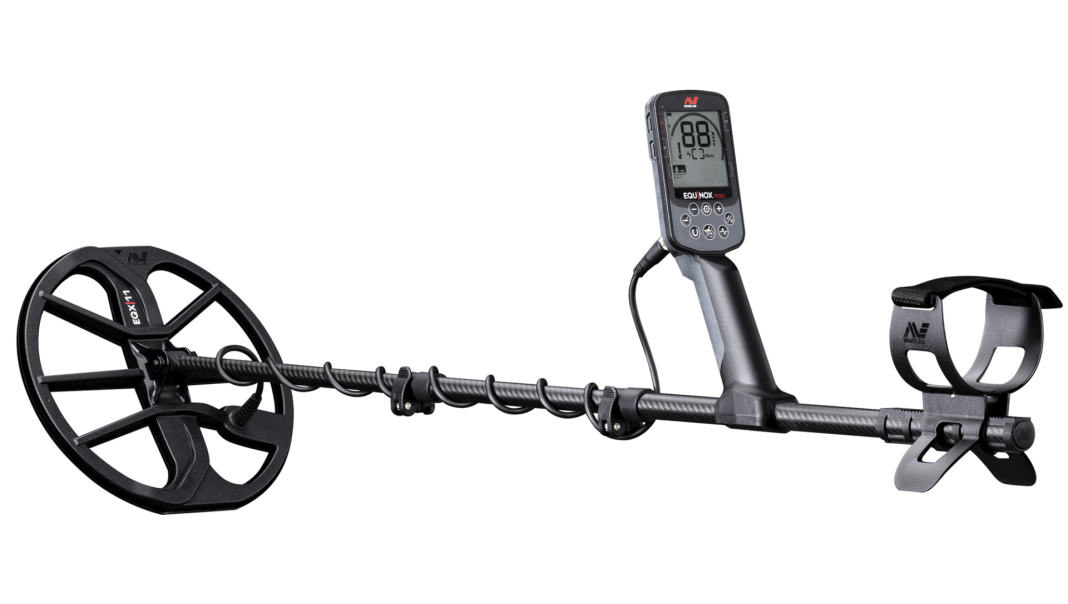
The following Minelab coils are currently available to operate with the GPX 6000:
GPX 11: 11″ round Monoloop coil for general use
GPX 17: 17″ x 13″ elliptical Monoloop coil for better ground coverage and depth on large nuggets
GPX 14: 14″ round Double D coil for conductive (salty) soils or when there is high electrical interference (EMI)
There are currently no aftermarket coils available for the GPX 6000
-
SHOULD THE COIL CABLE BE WOUND TIGHTLY AROUND THE SHAFT?
The first winding of the coil cable from the coil should always go over the shaft. The coil cable should then be wound closely around the shaft and held in place with the two velcro straps. You should allow enough room for the coil to be able to move freely when detecting.
-
CAN THE GPX 6000 BALANCE BOTH 'G' AND 'X' THE SAME AS GPZ 7000 DOES?
The GPX 6000 does not track the Ferrite component of the ground. GeoSense-PI uses other techniques to remove the ‘X’ response that is invisible to the operator.
You do not need a yellow ferrite to ground balance the GPX 6000.
-
I CAN'T HEAR A THRESHOLD TONE. WHY IS THIS?
The threshold tone can be toggled on and off in any sensitivity setting with a long press of the Ground Type button.
Note that the Threshold tone is switched on in the Manual sensitivity ranges and is switched off in the Automatic sensitivity ranges. When the GPX 6000 is next turned on, the Threshold tone will return to its default.
-
WHAT IS THE DIFFERENCE IN PERFORMANCE OF THE DETECTOR BETWEEN THE NORMAL AND DIFFICULT GROUND TYPES?
The Difficult Ground Type setting is best used in more heavily mineralised soils, particularly with hot rocks or highly variable ground.
The Normal Ground Type setting has the greatest depth on larger nuggets; it is best used wherever possible and always in ground with lower mineralisation levels or less variable ground. Normal ground type may pick up hot rocks as a target. If hot rocks cannot be ground balanced out, you will need to use the Difficult ground type setting.
-
THE GPZ 7000 MANUAL RECOMMENDS A SWINGING ACTION, OR OCTOPUS MOVEMENT FOR GROUND BALANCING. WHAT IS THE RECOMMENDATION FOR THE GPX 6000?
The GPX 6000 with GeoSense-PI is continually tracking the ground, so either technique would work. Minelab recommends pumping the GPX 6000 up and down above the ground with the Quick-Trak button depressed to achieve the fastest Ground Balance.
-
I'M NOT DETECTING ON A SALT LAKE OR IN SEAWATER. WHY MIGHT CONDUCTIVE GROUND CANCELLING BE AN ADVANTAGE FOR MECAN THE GPX 6000 BALANCE BOTH 'G' AND 'X' THE SAME AS GPZ 7000 DOES?
Conductive ground does not have to be associated with visible salt. For example, recent rains may make the soil more conductive and increase the unwanted conductive soil response.
-
I HEAR AN OCCASIONAL DROPOUT ON THE BLUETOOTH HEADPHONES. WHY DOES THIS HAPPEN?
Wireless audio is susceptible to audio dropouts when the signal is blocked. Audio dropouts can be reduced by ensuring a direct line of sight between the headphones and the detector. It is best to wear the headphones with the Bluetooth controls closest to the detector. This minimises the path to the Bluetooth transmitter and makes it less likely that the operator’s body will block the signal path between the headphones and the detector.
-
WHAT IS THE BATTERY RUN/CHARGE TIME?
The GPX 6000 will operate for approximately 8 hours when commencing with a fully charged battery. Charging the battery will typically take 5 – 6 hours.
The ML 100 headphones will operate for approximately 24 hours on a fully charged battery and take around 3.5 hours to charge.
-
IS IT SAFE TO CHARGE BATTERY FROM 24V TRUCK BATTERY?
Minelab currently has no plans to release a replaceable cell or alkaline battery pack.
-
DO THE ML 100 HEADPHONES NEED TO BE TURNED ON OR CHARGED FOR OPERATING AS WIRED HEADPHONES?
If the battery in the ML 100 headphones is flat, you can plug the supplied audio cable into the headphones and the detector to continue detecting.
-
IS THE GPX 6000 COMPATIBLE WITH OTHER BLUETOOTH HEADPHONES?
The GPX 6000 can pair and connect with normal (A2DP) Bluetooth headphones and other aptX Low Latency Bluetooth headphones, including the Minelab ML 80 headphones. When connected to aptX Low Latency headphones, there will be a + symbol next to the Bluetooth icon on the detector LCD screen to indicate this.
-
CAN THE SOFTWARE IN THE GPX 6000 BE UPGRADED?
Behind the speaker grill is a USB port that can be used if a software upgrade is released. Check the downloads section of the GPX 6000 page on our website for updates.





Reviews
There are no reviews yet